Concept project · Team project
UniVibe: Helping dorm residentsfind their people.
An AI-assisted micro-community app for college dorms: communication, resource sharing and activities in one place, with UniBot, an assistant for specific everyday tasks.
- Role
- Designer, Co-Researcher, Information Architect
- Timeline
- 7 weeks
- Team
- Team project
- Tools
- Figma, SF Pro
Overview
At a glance
- Challenge
- Dorm residents juggle group chats, bulletin boards and word of mouth. Every resident we interviewed described trouble communicating and building community in their dorm, and most found organized dorm activities ineffective.
- What I did
- Interviewed dorm residents with my team, built two personas and three scenarios, mapped the information architecture, then designed the design system and a prototype, including UniBot, an assistant that drafts events and books support.
- What testing showed
- Four dorm residents tested the prototype. They found it easy to use overall, but missed key features like contacting an RA or creating an event, hit buttons in confusing spots, and found moving between tabs awkward.
- Role
- Designer, Co-Researcher, Information Architect
- Timeline
- 7 weeks
- Team
- Team project
- Methods
- Interviews · Personas · Scenarios · Information architecture · Design system · Usability testing
The problem
What wasn't working
How might we help college students feel and stay connected with their dorm community?
Residents juggle group chats, bulletin boards and word of mouth. Every resident we interviewed described trouble communicating and building community in their dorm, and 80% found organized dorm activities ineffective at creating real connections.
The gap
Dorms had no single place for communication, resources and activities, and official events weren't creating real connection.
What residents told us
Qualitative interviews, grouped into four themes
Pick a theme. Each one ends with what it meant for the design.
- Technology plays a crucial role in the daily lives.90%
- Primarily use texting and messaging apps for communication.60%
- Prefer visual communication platforms.40%
- Concern about privacy and data security online.80%
What it meant for the design
Residents already live in messaging apps and most worry about their data, so UniVibe uses familiar messaging patterns and gives privacy its own place in the app.
Share of interview participants who raised each point.
Two residents, two needs
Personas
One wants connection without formality; the other wants to be included without giving up privacy.
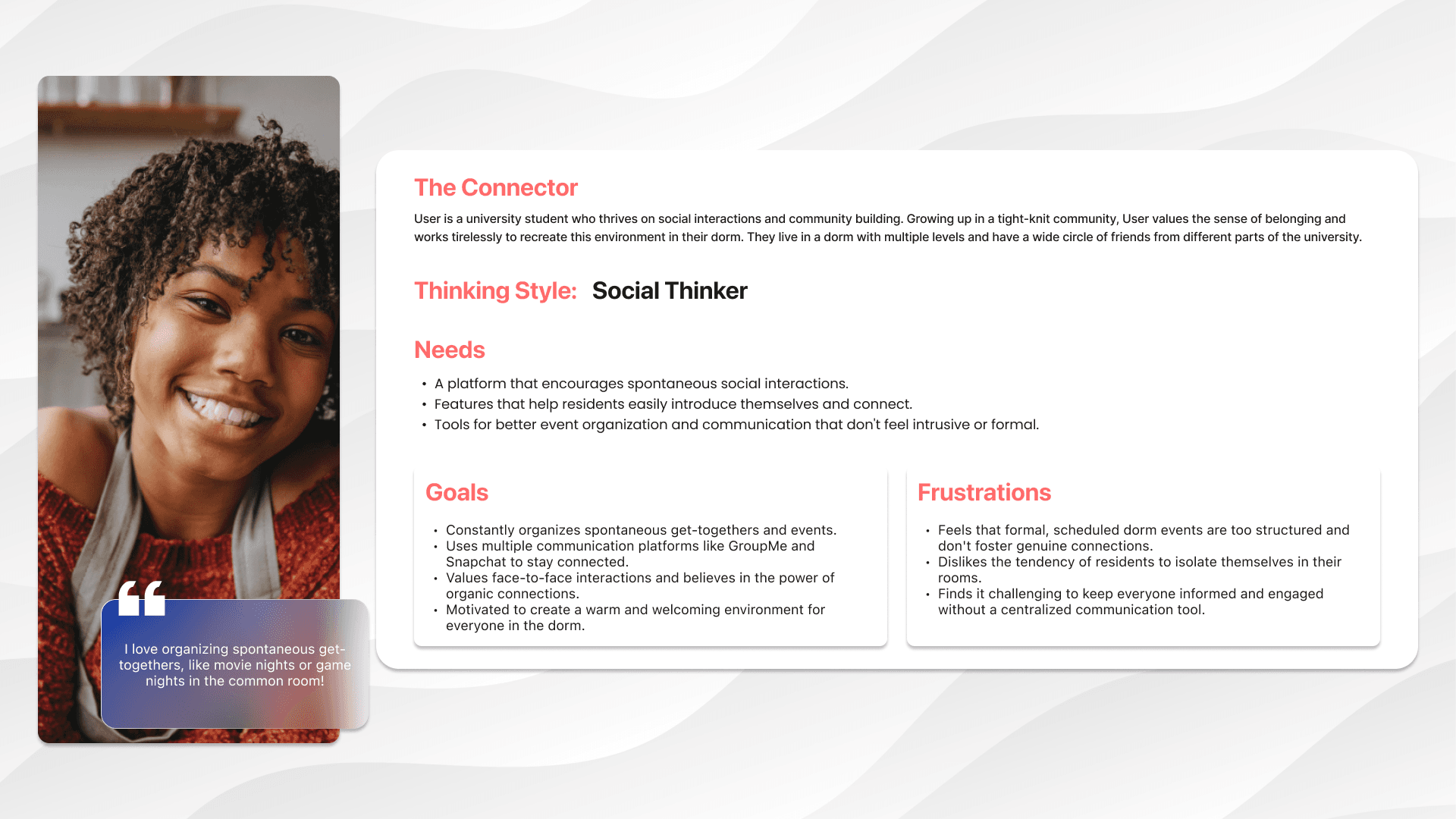
The Connector
A university student who thrives on social interactions and community building. Growing up in a tight-knit community, they value the sense of belonging and work tirelessly to recreate this environment in their dorm. They live in a dorm with multiple levels and have a wide circle of friends from different parts of the university.
Thinking Style:
Social Thinker
“I love organizing spontaneous get-togethers, like movie nights or game nights in the common room!”
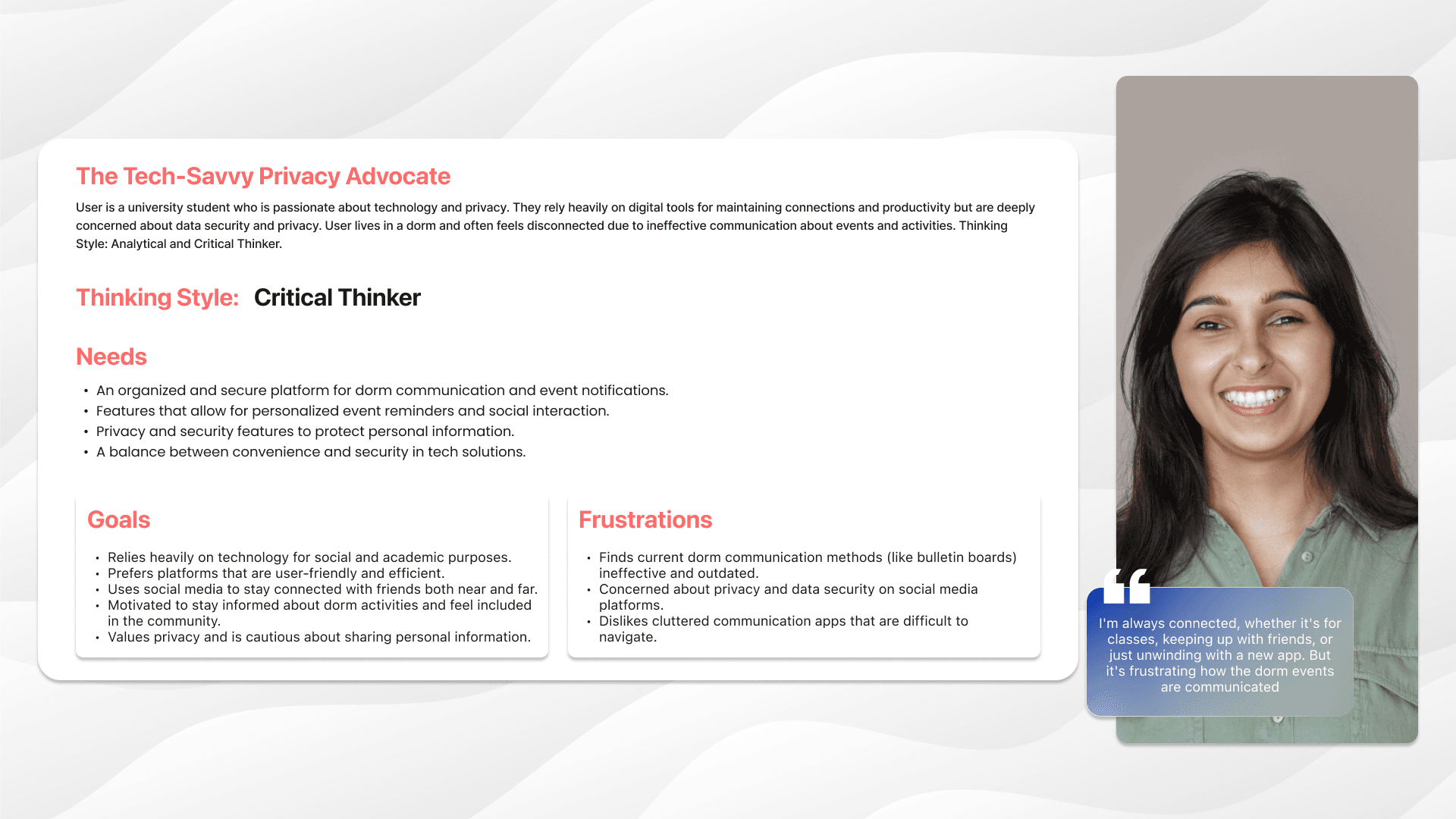
The Tech-Savvy Privacy Advocate
A university student who is passionate about technology and privacy. They rely heavily on digital tools for maintaining connections and productivity but are deeply concerned about data security and privacy. User lives in a dorm and often feels disconnected due to ineffective communication about events and activities.
Thinking Style:
Analytical and Critical Thinker
“I'm always connected, whether it's for classes, keeping up with friends, or just unwinding with a new app. But it's frustrating how the dorm events are communicated.”
Three areas, AI where it helps
Information architecture
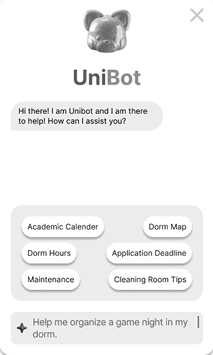
Home, Events and Account. UniBot appears where it saves effort: answering questions, suggesting events, and drafting event details.
Open any branch. Three areas, with AI where it helps.
AIUniBot-assisted- House info
- Upcoming events
- Bulletin board
- AI
- Calendar
Mae's first weeks
Scenarios that tested the structure
Three scenarios checked whether a resident could actually get real things done.
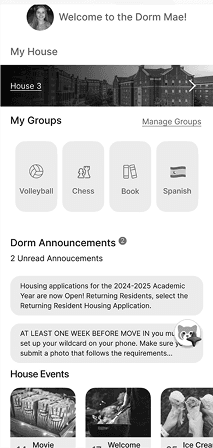
Mae is new to campus at the University of Georgia and wants to get involved. She joins the dorm's new app to learn the essentials and see what's happening in her community.
Meet UniBot
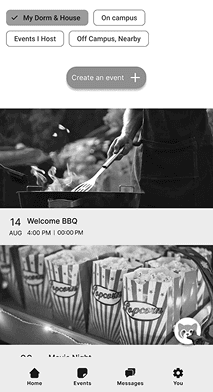
Mae wants to host a game night. She asks UniBot for help, reviews the draft, edits the details and publishes. Pick what she does next.
Recreated from the Scenario 2 screens.
UniBot
Online
Bright, warm, and readable
Design system
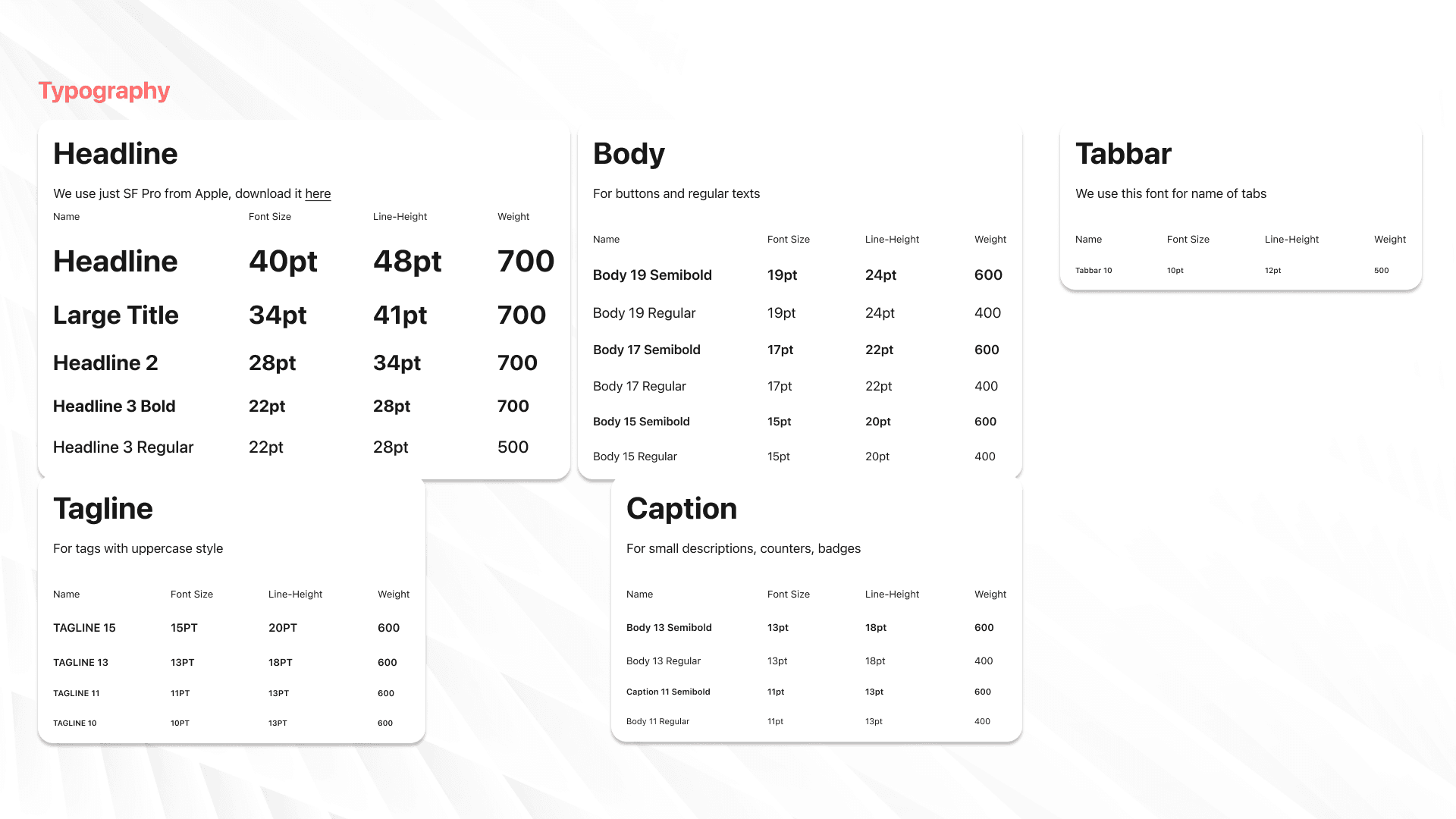
The palette reflects campus life, so the bright colors work as fills and highlights with dark text on top. Type follows Apple's App Store standards in SF Pro.
- Coral#FF6B6B
Fills and highlights. Text on it uses dark ink.
Dark text on coral 6.1:1 · AA
- Mint#9AECDB
Fills and highlights. Text on it uses dark ink.
Dark text on mint 12.3:1 · AAA
- Warm yellow#FFD93D
Fills and highlights. Text on it uses dark ink.
Dark text on yellow 12.2:1 · AAA
- Lavender#A29BFE → #6EC1E4
Lavender, peach and soft blue round out the set.
Dark text on lavender 6.9:1 · AA
Type system · SF Pro
Try the prototype
Interactive Figma prototype
Loads from Figma
Easy to use, hard to find
Usability testing with four dorm residents
We tested navigation, finding information, creating an event (alone or with UniBot), and getting support through the assistant.
What worked
The overall interface felt easy to use.
- Contacting an RA was easy to overlook.
- Creating an event was hard to spot.
- Some buttons sat in confusing places.
- Moving between tabs felt awkward for a few testers.
- Creating and managing events felt simple to some, unnecessarily complicated to others.
Retrospective
Looking back
Building on personas and scenarios kept the team focused on what residents actually needed, and testing confirmed the core experience was easy to use. It also showed that important features were too easy to miss.
What I'd do differently
- 01Put contacting an RA and creating an event on the home screen. Testers overlooked both. I'd make them primary actions, then re-run the same tasks to confirm people find them unprompted.
- 02Fix navigation structure before polishing visuals. A few testers found moving between tabs awkward. I'd run a card sort with residents and test a simpler tab structure in a low-fidelity prototype first.
- 03Test UniBot for trust, not just usefulness. Interviewees worried about over-reliance on AI and privacy, but testing focused on task flows. I'd add tasks and questions about what residents are comfortable sharing with an assistant.
Constraints that shaped the design
- Privacy came up repeatedly: 80% of interviewees were concerned about data security, so privacy settings got their own section in the architecture.
- UniBot was kept to a few concrete jobs (drafting events, sending event updates, booking tutoring) instead of open-ended chat.
- Seven weeks allowed one round of usability testing, with four participants.